Incident Overview
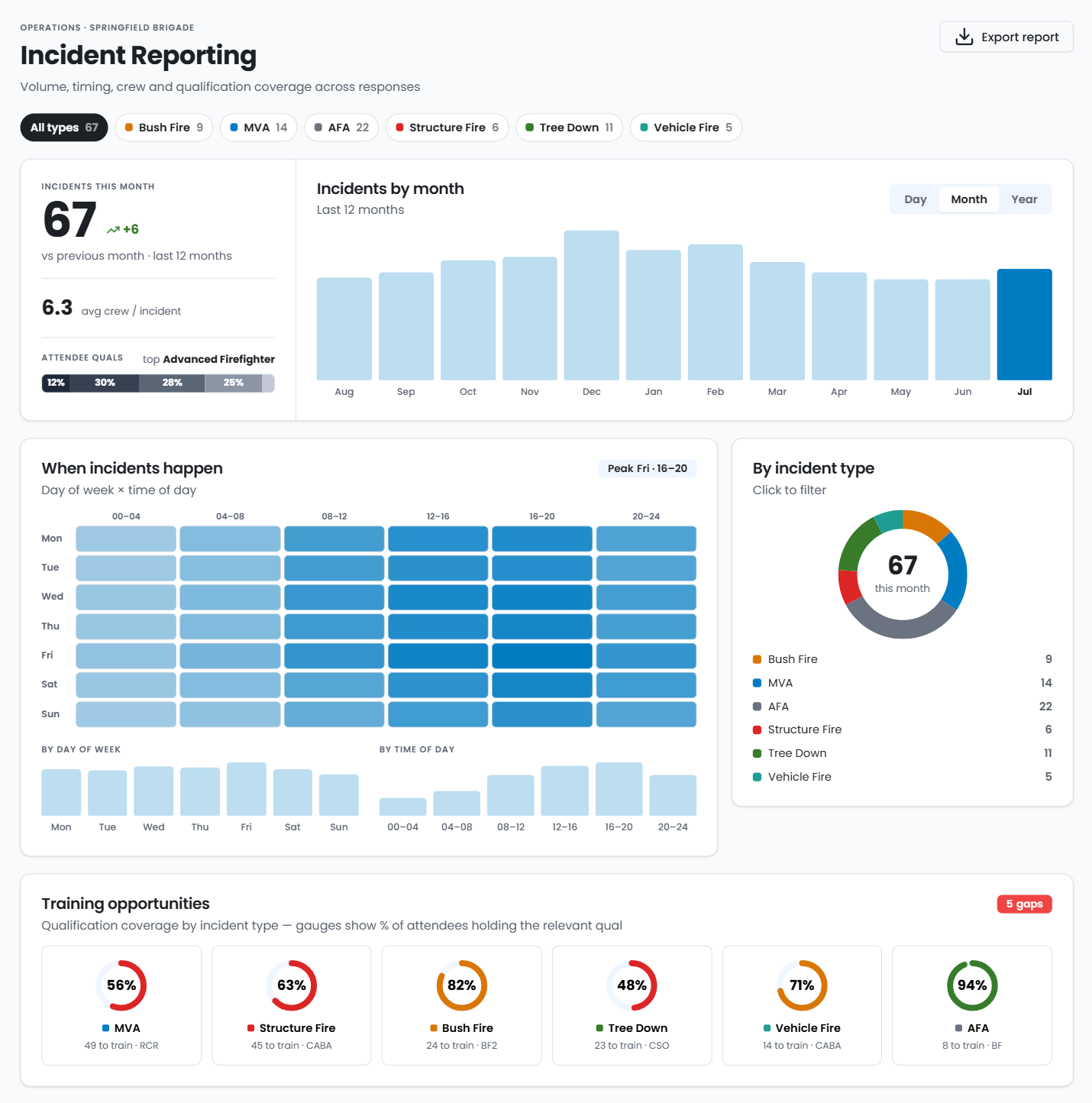
Utilising a sync with RFS Activ, your Brigade can identify trends and attendance data across your membership base.

Core Features
- Average member attendance by incident
- Filter by Date Range
- Core qualification breakdown at an aggregated incident level
- Identify the portion of your members actively attending incidents in a given timeframe
- View the number of incidents that your brigade has been paged to with interactive tooltips showing the breakdown of incident type for that timeframe
Member and Incident Logs
Get a view of incidents by member to understand what they are attending and what training requirements they might have as a result, or view the incident and attendance log for a birds eye view of incidents.


Incident Locations
View incidents at a location level, with both grouped and ungrouped views on an interactive map.
Platform Capabilities
Training Plan Generation
Create member training plans with qualification recommendations based on incident attendance and current qualifications
Interactive & Personalised Dashboards
Filter member qualification breakdowns by member status, allowing identification of capabilities with your active membership base. Craft a personalised dashboard to track the things that matter most to you.
District Training Courses
View upcoming district level training courses and what membes meet the current prerequisites who are ready to enrol.
Incident Dashboards
Understand incident trends and member attendance to incidents responded to by your brigade.
Brigade Event Attendance
Sync brigade events and training sessions with attendance tracking mapped back to individual members
Member Timelines
View individual member profiles with activity timelines showing qualification attainment, training and event attendance, and incident attendance
Import SAP Data
Export Member Detail and Member Qualification reports from SAP and import them directly into BrigadeIQ
RFS Activ Integration
Configure a sync between BrigadeIQ and RFS Activ to bring in incident and attendance data for your members
.png?width=100&height=128&name=1000028673(1).png)